WorkGrowth designGoal-first onboarding
One question more than doubled new-account activation.
Swivl is field-service software with 20+ modules. New businesses signed up, looked around, and never came back. On the Fast Activation team, a small growth team, I designed a first run that asks what you came to do, then builds the first day around that answer: a goal picker, a checklist for that goal, and the rest of the product one scroll further away.
Metric
3.2%→7.1%
Made a first estimate or invoice in week one
Activation, sign-ups before vs after the 9 July launch. 8.6% for sign-ups since late July.It kept climbing: 10.4% in September.
41%→73%
Finished onboarding
Two screens cut. The goal is now the only question.
37%→71%
Booked the setup call after opening it
12.6% of accounts that pick a goal now book one, up from 3.5%.
73%
Picked a goal on the first screen
The guard-rail: up from 65% on the old first step.
Source: PostHog, new accounts only, test accounts removed. Hover any underlined number to see the PostHog screenshot it comes from.Tap any underlined number to see the PostHog screenshot it comes from.
3.2%→7.1%
Made a first estimate or invoice in week one
Activation, sign-ups before vs after the 9 July launch. 8.6% for sign-ups since late July.It kept climbing: 10.4% in September.
41%→73%
Finished onboarding
Two screens cut. The goal is now the only question.
37%→71%
Booked the setup call after opening it
12.6% of accounts that pick a goal now book one, up from 3.5%.
73%
Picked a goal on the first screen
The guard-rail: up from 65% on the old first step.
Source: PostHog, new accounts only, test accounts removed. Hover any underlined number to see the PostHog screenshot it comes from.Tap any underlined number to see the PostHog screenshot it comes from.Yellow is a detail to confirm.
The 30-second version
The challenge
Swivl has 20+ modules. New businesses signed up, looked around and left. Only 3.2% made a first estimate or invoice in week one.
What I did
I put one question before the product: what would you like to achieve first? Each answer gets its own first day, with a short plan, setup inside the first task and a setup call.
The key insight
New users don't want a tour. They want to do the one thing they signed up for. So ask what that is first, and build the day around it.
My role
- Growth designer, the only designer on this flow
- Recordings, funnel, flows, UI, specs and hand-off
- Shipped in 2 weeks, July 2026
The team
- Growth lead
- Two designers, me included
- Backend engineer
- Front-end engineer
The constraints
A new team
No roadmap, one number to move.
Every new account
The first screen after every sign-up.
One more screen
It can lose people, so we watched it from day one.
- Team
- Growth lead, two designers, one backend engineer, one front-end engineer. Sales and Customer Success for the goals and the call.
- Duration
- 2 weeks to ship (July 2026), then small releases through September
- Tools
- PostHog recordings and funnels, Figma, Linear, the browser
- Reach
- Every new Swivl account since July 2026
The problem
People signed up. Then they left.
Swivl had no revenue yet, and the whole company was working to change that. Sign-ups weren't the problem. What came after was. A new business made an account, landed in 20+ modules, opened a few and closed the tab. Most never came back. The few who did changed nothing and went quiet. The first screen showed everything, so it pointed nowhere.
Signed up
100%Came back on another day in week one
5.6%Made a first estimate or invoice
3.2%Sent it to a customer
0.7%Signed up
100%Came back on another day in week one
5.6%Made a first estimate or invoice
3.2%Sent it to a customer
0.7%4,523 accounts that signed up from 30 March to 8 July 2026, each followed for its first seven days. PostHog, test accounts removed.
Why they left
20+ modules
All on the first screen, and nothing to say where to start.
Setup first
Company details and a logo stood between people and any real result.
Hidden help
A call and an overview video existed, but you had to go looking for them.
The problem
People signed up. Then they left.
Swivl was pre-revenue, and the whole company was working to change that. Sign-ups were not the problem. What happened after was. A new business created an account, landed in a product with 20+ modules, opened a few of them, and closed the tab. Most never came back. Some came back once or twice, changed nothing, and went quiet.
The first screen showed everything, so it pointed nowhere.
4,523 accounts that signed up from 30 March to 8 July 2026, before the new flow, each followed for its first seven days. PostHog, test accounts removed.
Twenty-plus modules on the first screen, and no pointer to where to start.
Setup (company details, a logo) stood between the user and any real result.
Help existed, a call and an overview video, but you had to go looking for it. ⟨confirm⟩
How we broke it down
Watch what people did, write down the bet, pick a number.
The Fast Activation team was new: a growth lead who had been a consultant, two designers, a backend and a front-end engineer. No roadmap, one number to move. We started with PostHog session recordings of new accounts and the funnel above, and turned each thing we saw into a bet we could measure.
First sessions jumped between four or five modules and changed nothing.
The product asked people to explore. They had come to do one thing.
Ask the one thing first, and build the first day around it.
The accounts that came back had usually made one estimate or invoice in their first session.
The first real document is the aha moment. Everything before it is setup.
Make the first document step 1, and make it take under two minutes.
Company details were empty on most new accounts, so anything they made looked unfinished.
Setup was a wall in front of value.
Collect setup inside the first task, and tick it off the plan for them.
Accounts that got a call from the team mostly became active.
Help worked, but only for the people who found it.
Offer the 20-minute call and the overview video on day one, up front.
Four bets, one funnel. Each row had a number we would watch after release: came back, first real action, step-one completion, calls booked.
The insight
A new user doesn't want a tour of the product. They want to do the one thing they signed up for. So the first screen should ask what that is, and everything after it should be built for the answer.
The move
One question, four paths.
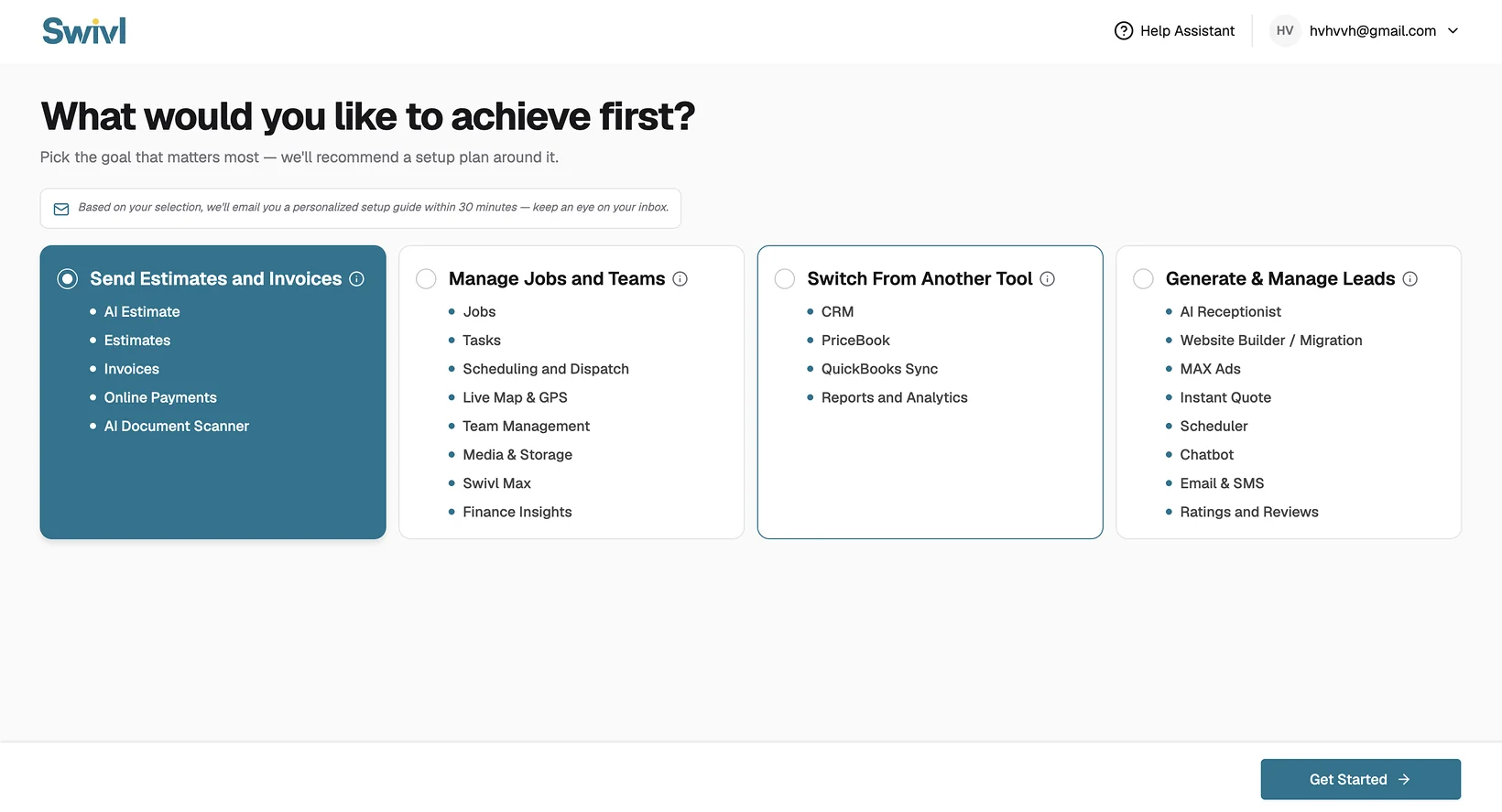
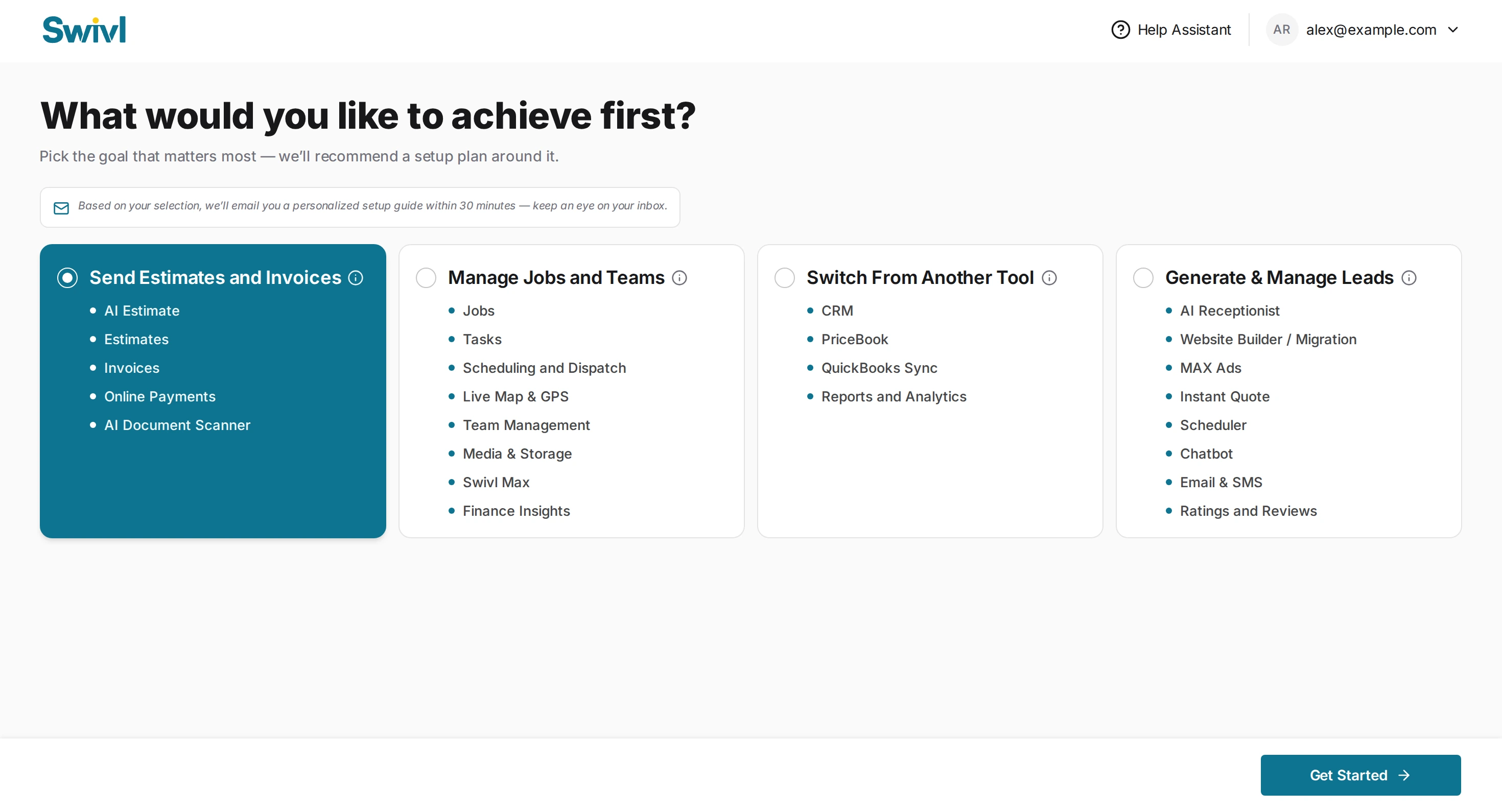
After sign-up and before the product, one full-screen question: what would you like to achieve first? Four answers, in the words a business owner uses, each showing what it unlocks. Get Started stays off until you pick one.
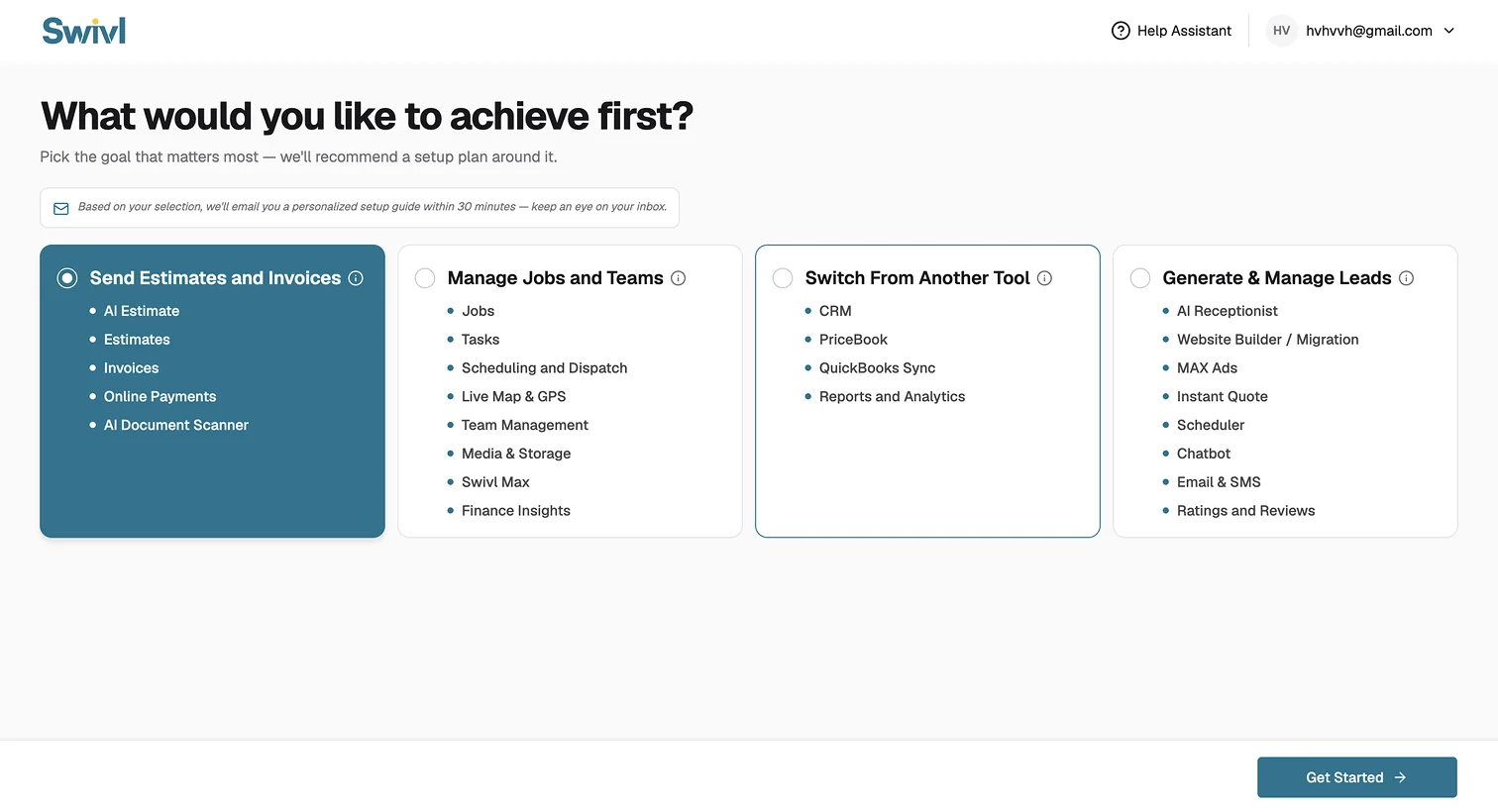
- 1One question, in plain words. "What would you like to achieve first?", not "Choose your modules".
- 2One pick. A radio, not checkboxes. One answer gives one plan; a second question is one more place to leave.
- 3Each card shows what it unlocks, so the choice is informed, not blind. The list is also a preview of the product.
- 4A promise with a time on it. A personalised setup guide by email within 30 minutes, so the plan reaches the inbox too.
- 5Get Started is off until you choose. There is no skipping into the old, unpointed dashboard.
Why these four
The four goals are the four reasons businesses gave sales for signing up. Every Swivl module maps to one of them, so nothing in the product is left without a path, and no goal is a dead end. Since launch, 58% of accounts pick estimates and invoices, 28% leads, 10% jobs and 4% switching tools.
Send estimates and invoices
AI Estimate, Estimates, Invoices, Online Payments, AI Document Scanner
"I want to get paid."
Manage jobs and teams
Jobs, Tasks, Scheduling and Dispatch, Live Map & GPS, Team Management, Media & Storage, Swivl Max, Finance Insights
"I want to run the day."
Switch from another tool
CRM, PriceBook, QuickBooks Sync, Reports and Analytics
"I want to bring my data."
Generate and manage leads
AI Receptionist, Website Builder / Migration, MAX Ads, Instant Quote, Scheduler, Chatbot, Email & SMS, Ratings and Reviews
"I want more work."
Three decisions, and what each one cost
One pick, not a survey.
One answer gives one plan. A survey gives a profile, and a profile still has to be turned into a plan by someone. Every extra question is also a place to leave.
WhyOne answer gives one plan. Every extra question is a place to leave.
CostA business that wants two things has to pick one. The other waits under "you have access to these too".
- Not chosen
- Multi-select goals; a five-question profile
- Cost
- A business that wants two things has to choose. The second goal waits under "you have access to these too".
Goals in the customer's words, not module names.
"Send estimates and invoices", not "Invoicing". A business owner knows what they want to happen, not what we call the module that does it.
Why"Send estimates and invoices", not "Invoicing". A business owner knows the job they want done, not our name for the module.
CostFour groups to agree on with sales and product, and a module like Scheduler could sit in two.
- Not chosen
- Letting people tick modules from a list
- Cost
- Four groupings to argue out with sales and product, and a module like Scheduler that could sit in two groups.
A full screen before the product, not a pop-up on top of it.
The question needs the whole page: four cards with their lists, and nothing behind it to be distracted by. It is the first thing after sign-up, so it cannot be dismissed.
WhyFour cards and their lists need the whole page, with nothing behind them. It's the first thing after sign-up, so it can't be closed.
CostOne more screen before the product. We watched its drop-off from day one, and it became the guard-rail number.
- Not chosen
- A modal over the dashboard that could be closed
- Cost
- One more screen before the product. We watched the drop-off on it from day one; it became the guard-rail number.
What the pick changes
Same product, four different first days.
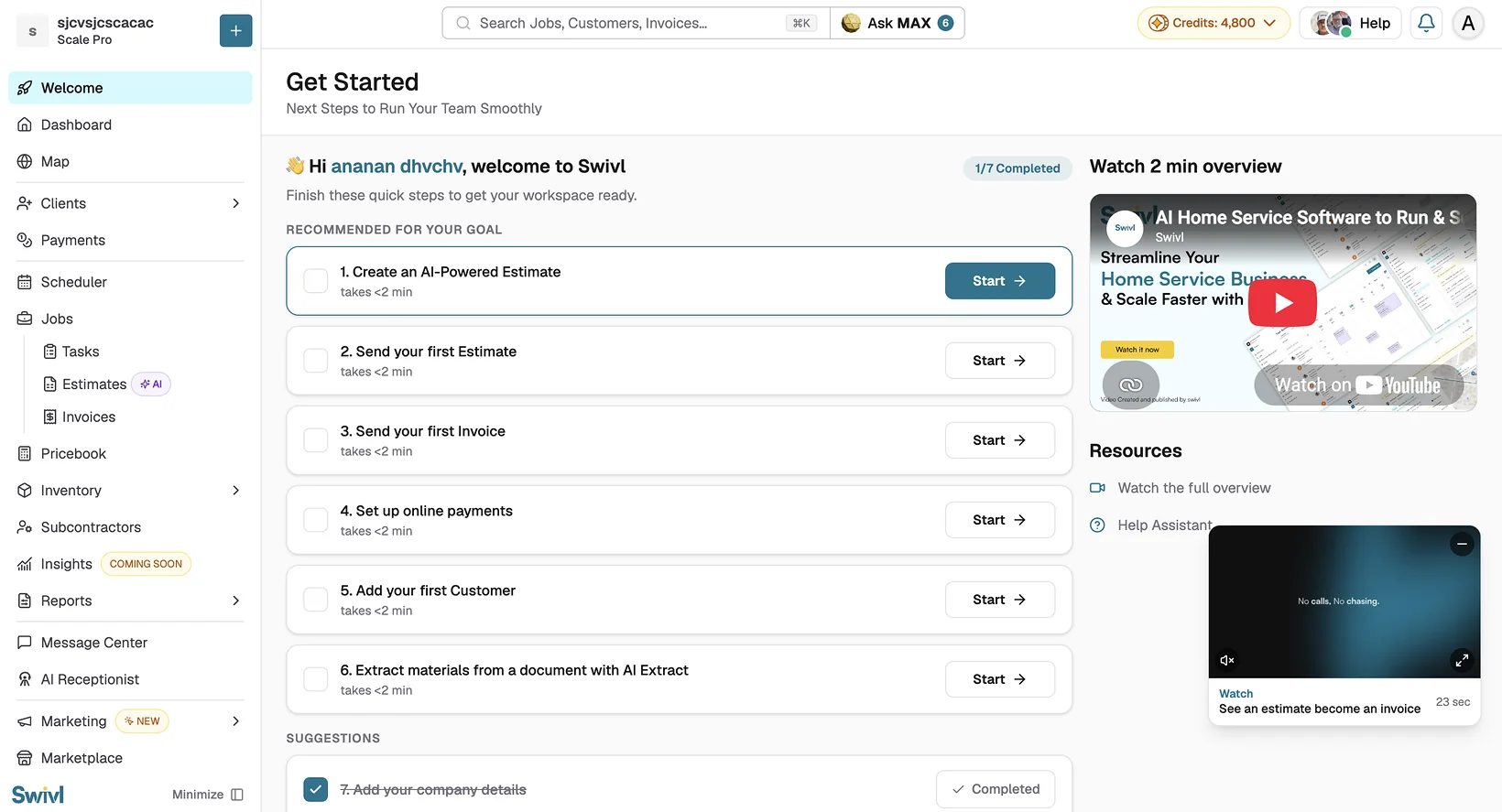
The pick decides what the Welcome page shows: which steps, in what order, and which features come first. The product is the same for everyone. The first day is not.
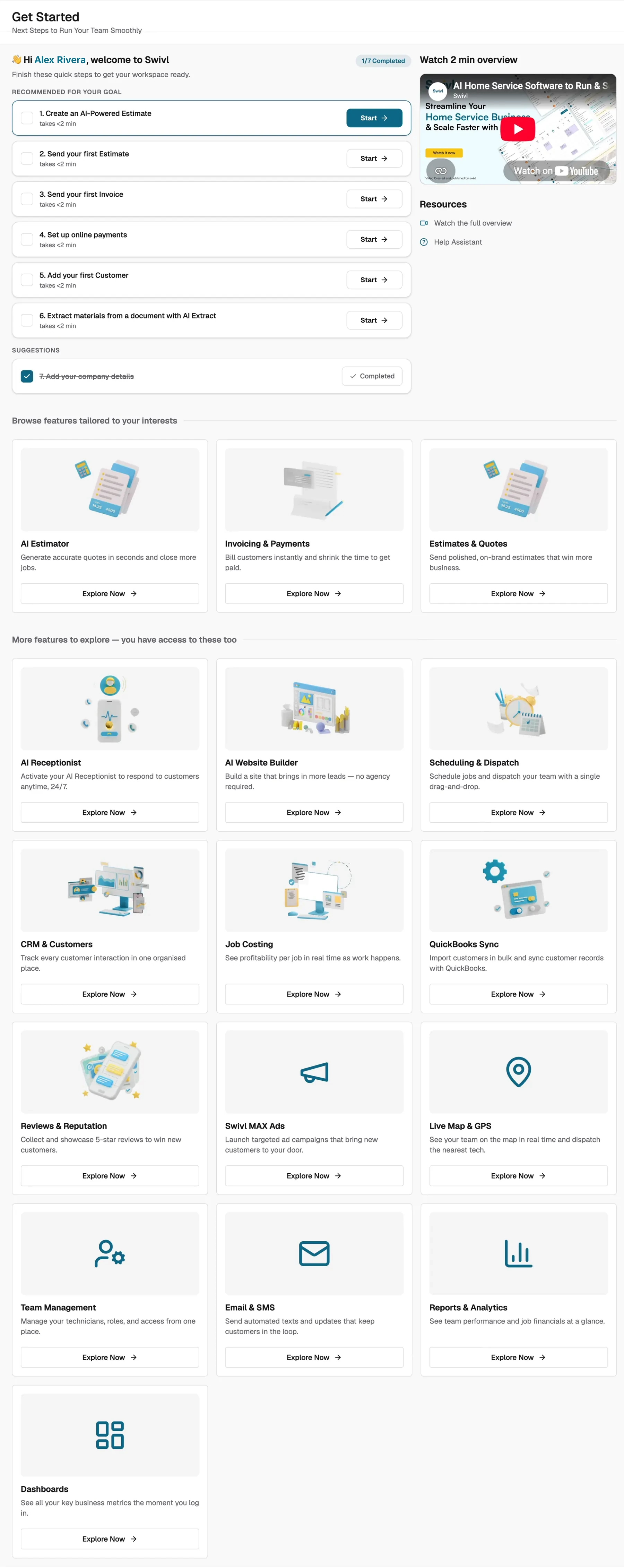
Recommended for your goal
- Create an AI-powered estimate takes <2 min
- Send your first estimate takes <2 min
- Send your first invoice takes <2 min
- Set up online payments takes <2 min
- Add your first customer takes <2 min
- Extract materials from a document with AI Extract takes <2 min
- Suggestions · Add your company details completed for you from the first invoice
Features tailored to your interests
- AI EstimatorGenerate accurate quotes in seconds and close more jobs.
- Invoicing & PaymentsBill customers instantly and shrink the time to get paid.
- Estimates & QuotesSend polished, on-brand estimates that win more business.
Then 13 more under "you have access to these too": AI Receptionist, AI Website Builder, Scheduling & Dispatch, CRM & Customers, Job Costing, QuickBooks Sync, Reviews & Reputation, Swivl MAX Ads, Live Map & GPS, Team Management, Email & SMS, Reports & Analytics, Dashboards.
Manage jobs and teams
The Welcome page for this goal leads with the day's work: the first job, the schedule, the team on the map.
- Jobs
- Tasks
- Scheduling and Dispatch
- Live Map & GPS
- Team Management
- Media & Storage
- Swivl Max
- Finance Insights
What would you like to achieve first?
Pick the goal that matters most — we’ll recommend a setup plan around it.
Based on your selection, we’ll email you a personalized setup guide within 30 minutes — keep an eye on your inbox.
The Welcome page for this goal leads with the day's work: the first job, the schedule, the team on the map.
Switch from another tool
The Welcome page for this goal leads with bringing data in: customers, the price book, the books.
- CRM
- PriceBook
- QuickBooks Sync
- Reports and Analytics
What would you like to achieve first?
Pick the goal that matters most — we’ll recommend a setup plan around it.
Based on your selection, we’ll email you a personalized setup guide within 30 minutes — keep an eye on your inbox.
The Welcome page for this goal leads with bringing data in: customers, the price book, the books.
Generate and manage leads
The Welcome page for this goal leads with the phone and the website: the AI receptionist, the site, the ads.
- AI Receptionist
- Website Builder / Migration
- MAX Ads
- Instant Quote
- Scheduler
- Chatbot
- Email & SMS
- Ratings and Reviews
What would you like to achieve first?
Pick the goal that matters most — we’ll recommend a setup plan around it.
Based on your selection, we’ll email you a personalized setup guide within 30 minutes — keep an eye on your inbox.
The Welcome page for this goal leads with the phone and the website: the AI receptionist, the site, the ads.
Two nudges outside the screen
A plan on a page is easy to close. So the same plan also arrives two other ways, both promised on screen with a time attached.
A plan on a page is easy to close, so it also arrives two other ways.
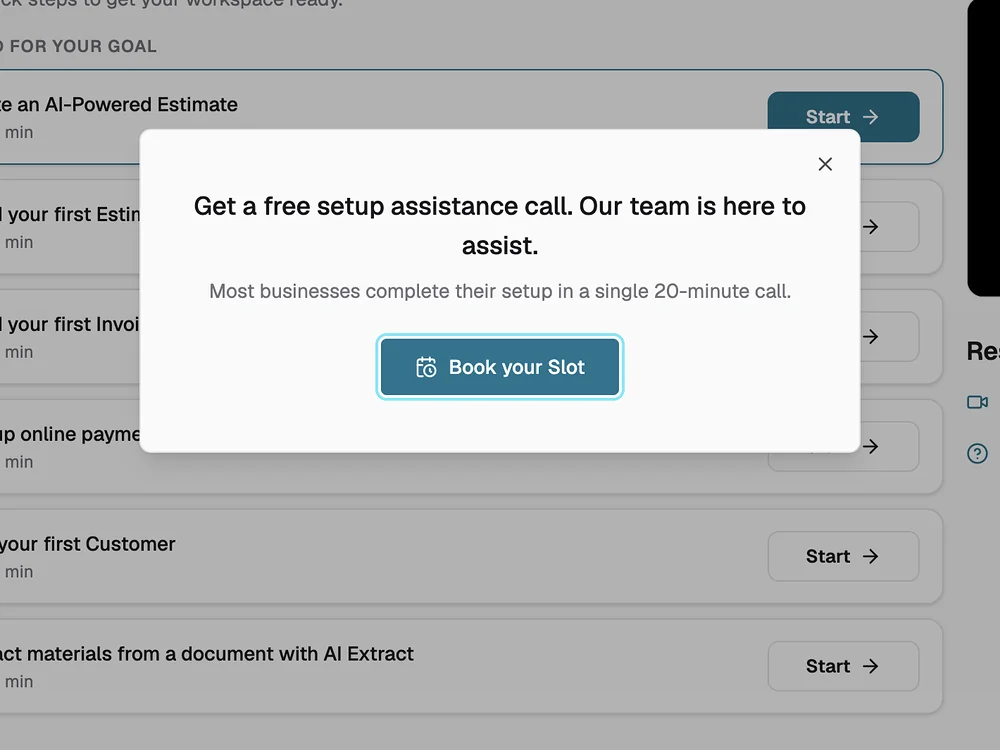
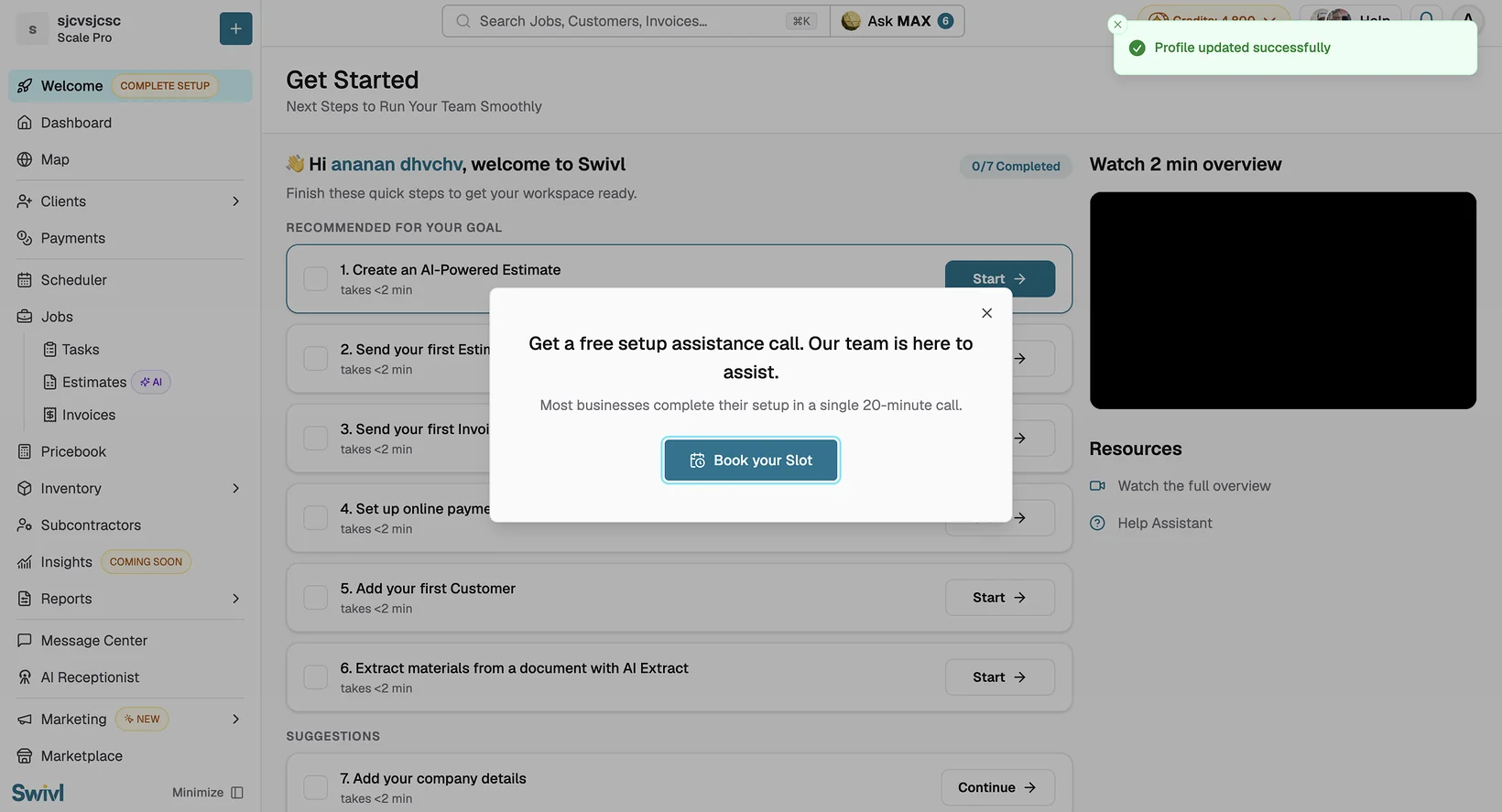
A 20-minute call, offered once
Right after the profile is saved: "Most businesses complete their setup in a single 20-minute call." Not a hidden Help link. One offer, one button, and it doesn't come back if you close it. 71% of people who open the booking now book a call, up from 37% in June.
Shown once, after the profile is saved. 71% of people who open the booking now book a call, up from 37% in June.
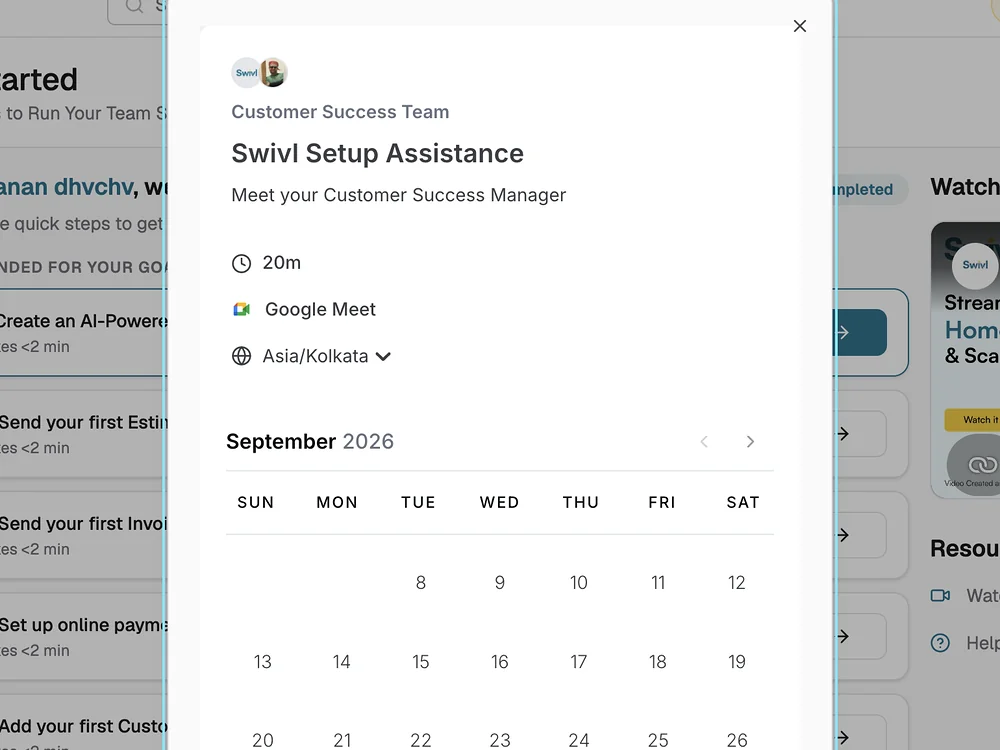
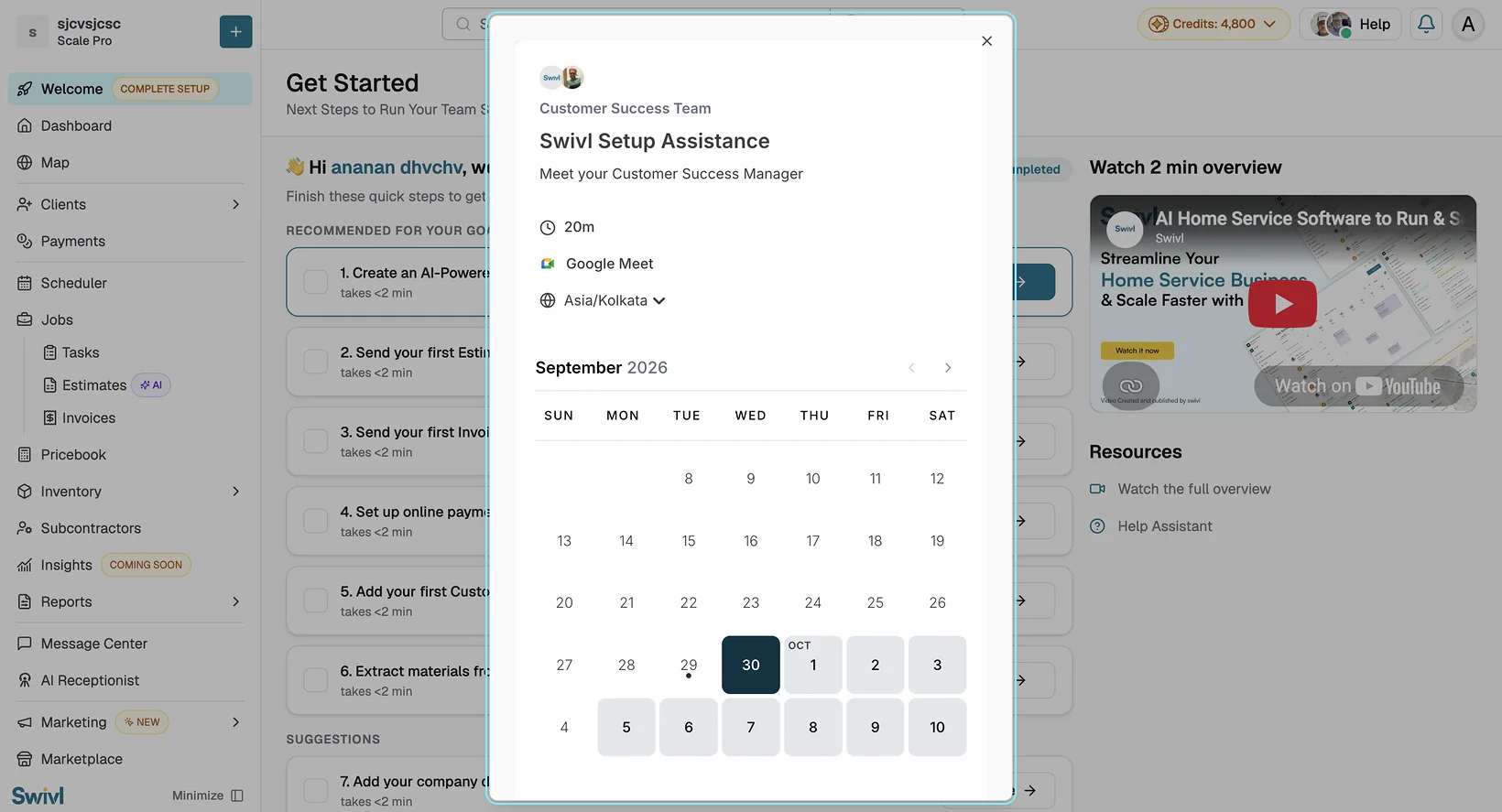
Booked in place, plus the email
The calendar opens over the Welcome page, in the account's own time zone. And within 30 minutes of the pick, a setup guide for that goal lands in the inbox. It now reaches 99.6% of accounts that pick a goal, up from 68% in June.
A setup guide email follows within 30 minutes of the pick. It now reaches 99.6% of accounts, up from 68% in June.
A setup guide email follows within 30 minutes of the pick. It now reaches 99.6% who pick a goal, up from 68% in June.
A detail I'm proud of
Setup happens inside the first task.
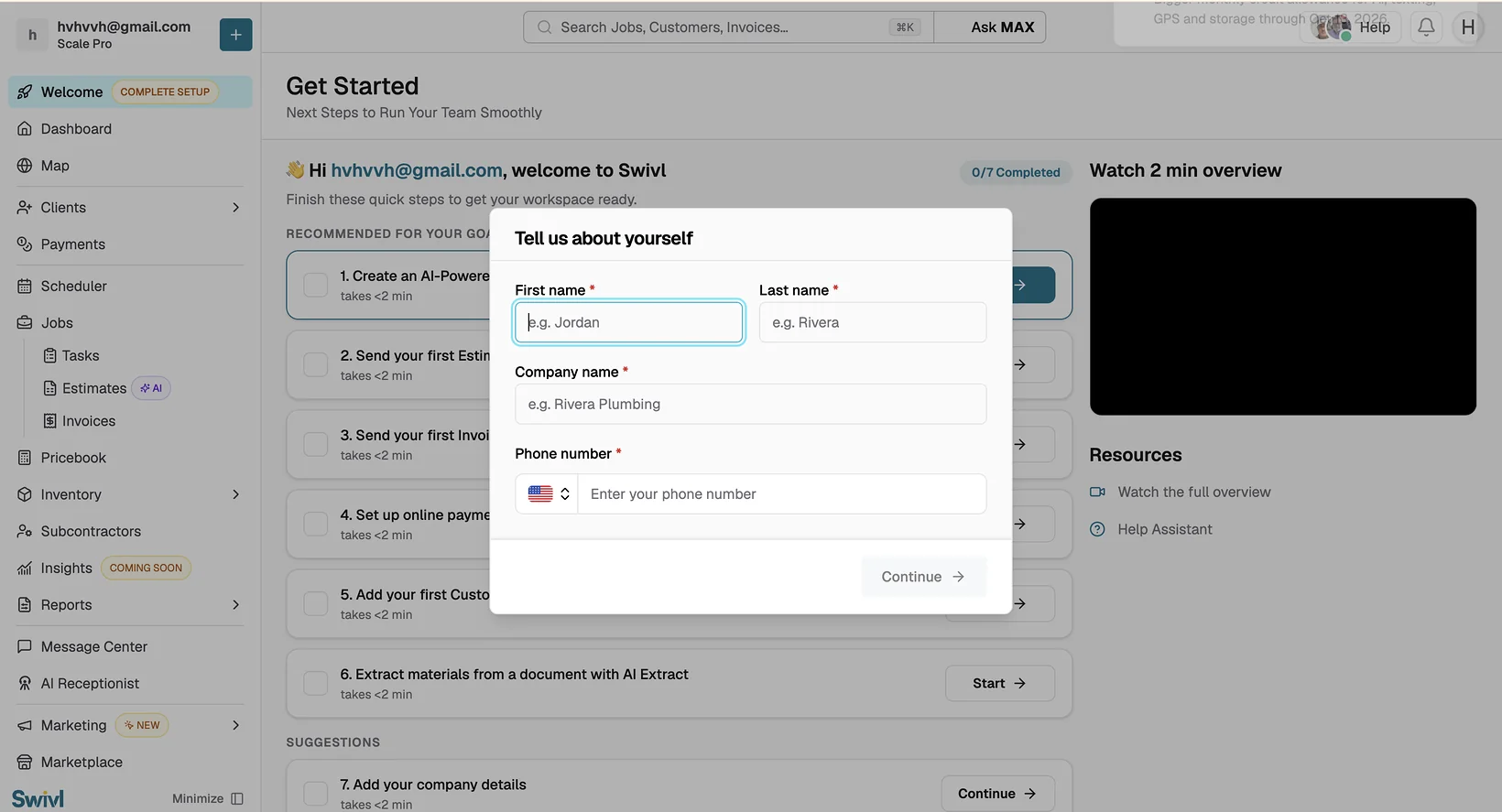
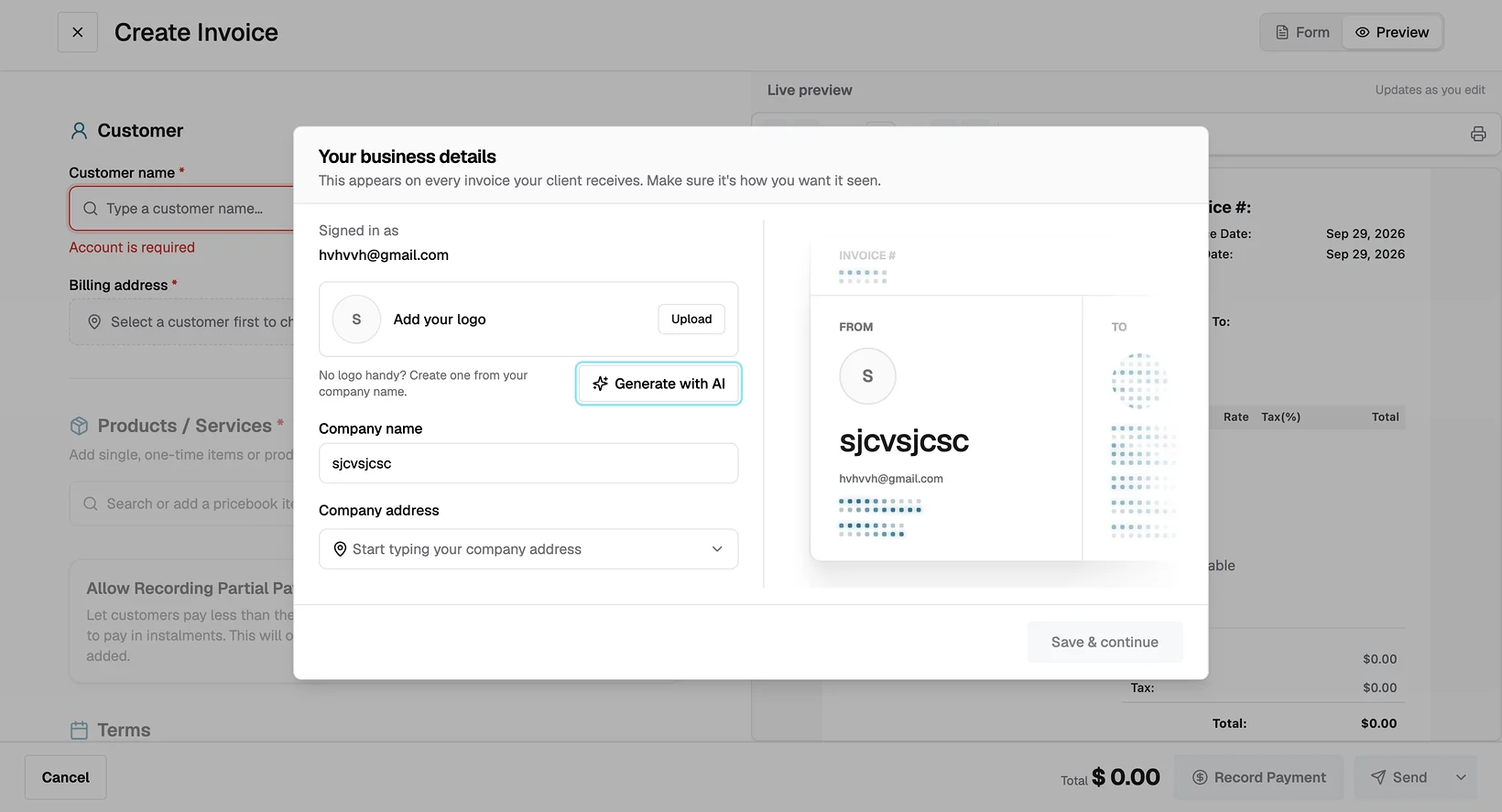
Nobody fills in a settings page on day one, so the plan doesn't ask them to. When you start your first invoice, Swivl asks for the three things that print on it, logo, company name and address, and shows them on the invoice as you type. Save, and "Add your company details" ticks itself off the checklist.
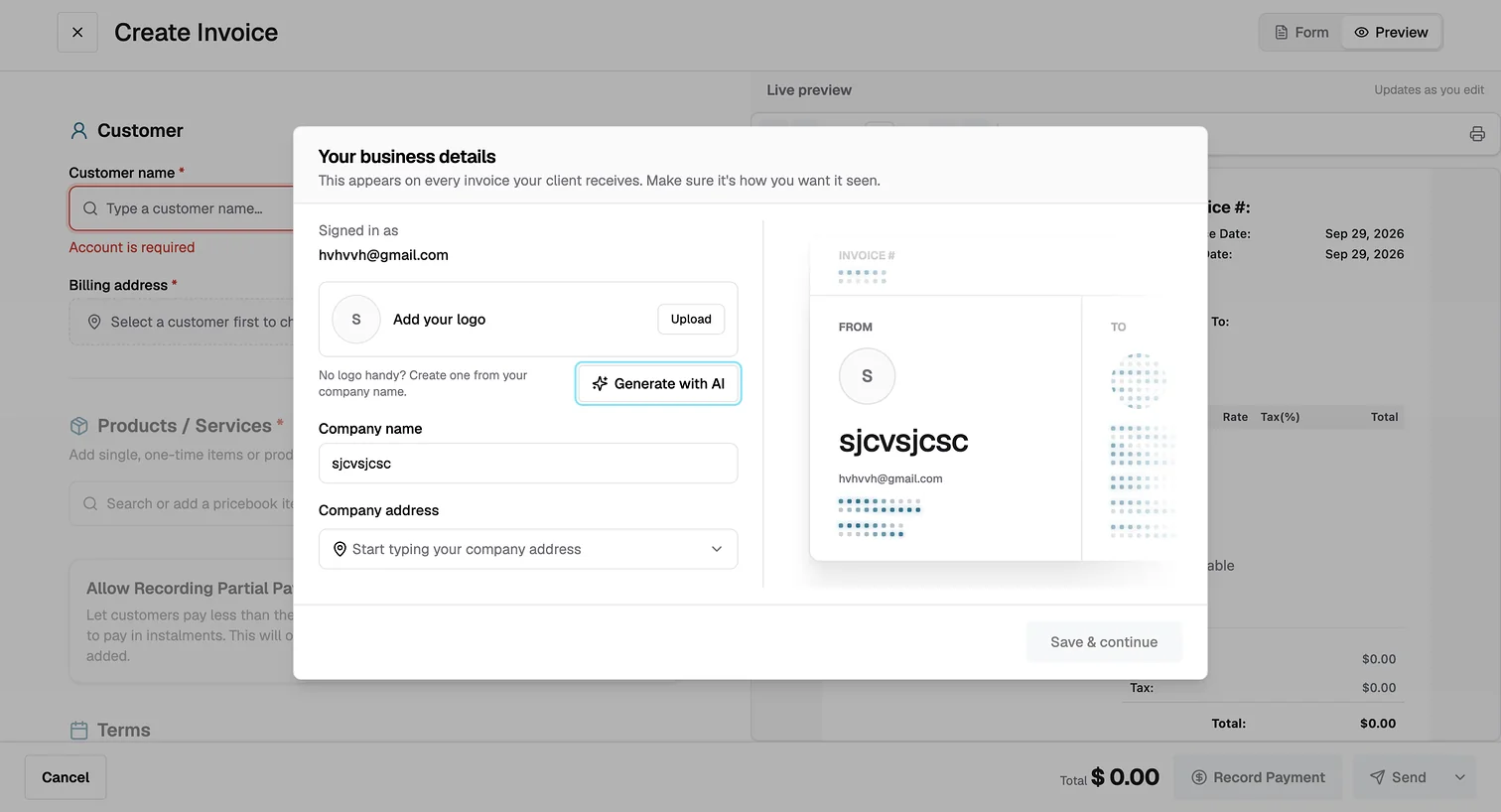
- 1"This appears on every invoice your client receives." The reason to fill it in is the first line, and the account is already known.
- 2No logo handy? Generate one. A missing logo is the most common reason to stop here, so there is a way through it.
- 3The preview updates as you type. You see what your customer will see, which is why anyone bothers with company details at all.
- 4Save & continue returns you to the invoice. The checklist updates on its own: 1 of 7, before the first real step.


Craft
The small things that made it work.
Growth work is mostly small decisions that add up. These are the ones I'd point to.
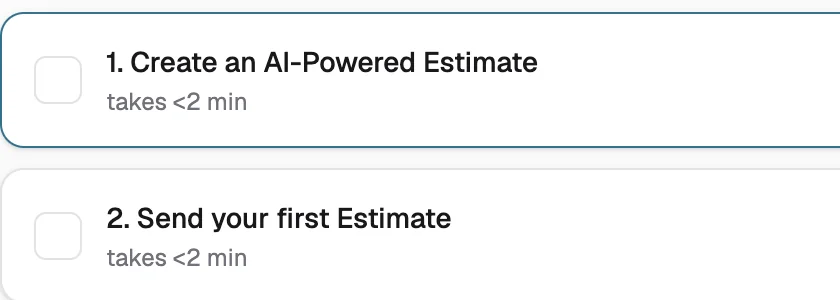
Every step carries a time, and keeps it.
"takes <2 min" on all six steps. A promise you can check turns a to-do list into something you can start now.
Progress moves before the first real step.
The counter goes to 1 of 7 from the business-details modal, so the list never sits at zero for long.
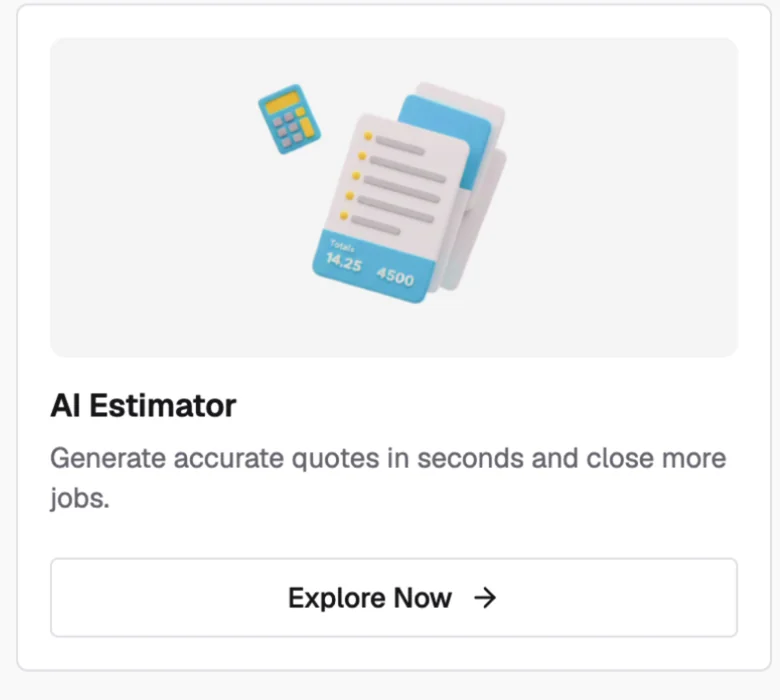
The AI estimate is step 1.
It is the fastest route to a finished document, so it goes first. The aha moment comes before the setup work, not after it.
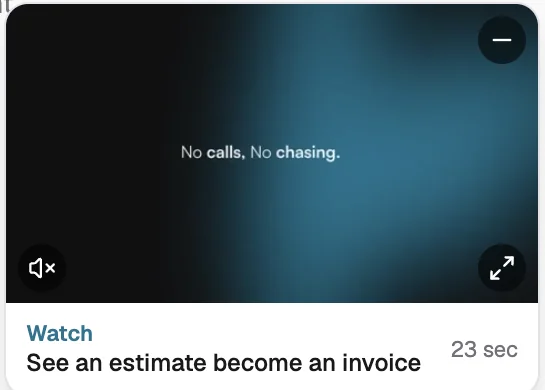
The aha moment, shown before you reach it.
A 23-second clip in the corner: an estimate becoming an invoice. It plays muted, and it can be minimised, so it never gets in the way.
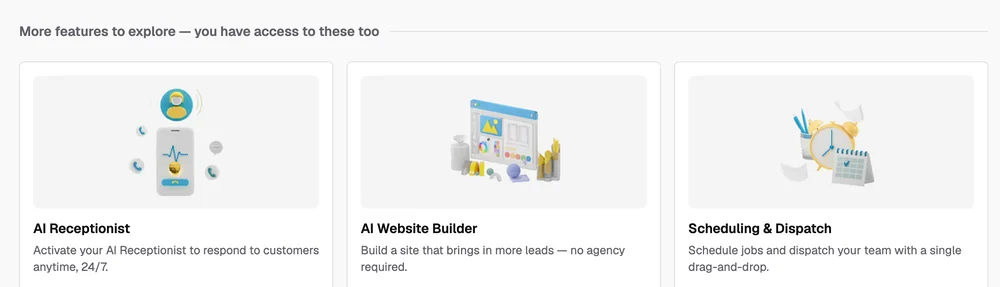
"You have access to these too."
The rest of the product is ordered, not hidden. The heading says so, so nobody thinks their plan is missing something.
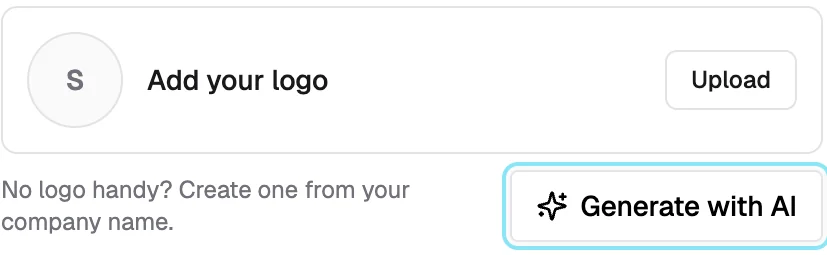
A way past the missing logo.
"No logo handy? Create one from your company name." One button removes the most common reason to abandon the details.
Based on your selection, we'll email you a personalized setup guide within 30 minutes — keep an eye on your inbox.
A promise with a clock on it.
"Within 30 minutes." The email is promised on the goal screen itself, so the pick already feels like it did something.

The plan stays in the sidebar.
"Welcome · Complete setup" sits above Dashboard until the plan is done, so there is always a way back to the next step.
My part
Growth designer, end to end.
- Product designer on the Fast Activation team, Swivl's growth team. The only designer on this flow: recordings, the funnel, the goal groupings, flows, UI, specs, hand-off, and the numbers after release.
- Watched ⟨n⟩ PostHog recordings of new accounts and set up the funnel we tracked: signed up → came back → first real action → active in week four.
- Designed the goal screen, the Welcome page for all four goals, the profile and business-details modals, the setup-call offer, and the ordering of features.
- Worked side by side with the front-end engineer, design-engineer style: built in the browser, adjusted from real data, shipped in small pieces.
- The direction, meet each business at its goal, came from the growth lead, an ex-consultant who set up the team. How it works on screen is my design.
- Only designer on the flow, from research to release, shipped in 2 weeks.
- Designed 1 question and 4 first days, one per goal: activation 3.2% → 7.1%, and 10.4% by September.
- Cut 2 screens from onboarding: finished onboarding 41% → 73%.
- Designed the setup-call offer: booked after opening it 37% → 71%.
- The direction came from the growth lead. How it works on screen is my design.
What moved
The numbers, with their source.
All from PostHog, new accounts only, test accounts removed. Before is sign-ups from 30 March to 8 July 2026, after is 9 July to 22 September, each followed for its first seven days unless the note says otherwise. One number, one source, the same everywhere on this page. Hover any number to see it in PostHog.
| Metric | Before | After | Note |
|---|---|---|---|
| Made a first estimate or invoice in week one (activation) | 3.2% | 7.1% | 8.6% for sign-ups since 27 JulyKept climbing: 10.4% in September |
| … with a real amount on it | 1.9% | 4.6% | Not a blank draft or a sample |
| Finished onboarding | 41% | 73% | Within 14 days of the first screen. June flow vs from 13 July |
| Booked the setup call after opening it | 37% | 71% | June vs 17–29 September |
| Booked a setup call | 3.5% | 12.6% | Of accounts that picked a goal. June vs 17–29 September |
| Clicked Start on their plan in week one | — | 45% | Of Welcome page visitors. 34% started step 1 |
| Came back on another day in week one | 5.6% | 6.8% | Barely moved. The habit is the next problem |
| Picked a goal on the first screen | 65% | 73% | The guard-rail. Within a day, June's first step vs the goal screen |
Month by month
It didn't stop at launch. With each small release after it, more new accounts made a first estimate or invoice, and more finished onboarding.
Before launch is sign-ups from 30 March to 8 July 2026; for onboarding it is the June flow. July starts at the 9 July launch (onboarding at 13 July, when the four goals started). September onboarding counts first screens up to 26 September, so every account had its full 14 days. October isn't shown because the month isn't over.
The guard-rail. A screen before the product can lose people. We watched the drop at the goal question from day one: 73% pick a goal within a day of seeing it, up from 65% on the June first step, and all four goals get picked (58% estimates and invoices, 28% leads, 10% jobs, 4% switching), so no path is a dead end.
For context: across SaaS products, the median activation rate is about 30% (Lenny's Newsletter survey of 500+ products, 2022).Activation here is strict: a real estimate or invoice in the first seven days, not a login or a page view. Activation, aha and habit are used the way Reforge and Elena Verna define them: setup, then the first taste of value, then the repeat.
Next
What I'd do next.
Let the goal change.
A business that picks invoices in week one wants jobs in week three. The Welcome tab should re-plan, not just tick.
Measure the habit, not the visit.
Active three days out of five, for two weeks, is the number that says a power user is forming. The next round should be built to move it.
One plan, three channels.
The page, the email and the call should carry the same steps in the same order, so wherever the owner looks, the next step is the same.